
As any travel writer knows, readers must be lead to the right destination with suggested itineraries to help them make the most of their trip. The same principle applies to technical writers using the topic-based method. They have to organize the various topics to guide users through their tasks. After all, as Marc Achtelig says, your content may be fantastic, but if it can’t be found and is poorly structured, your document won’t be used.

Many roads
There are many ways to organize topics. For instance, Tom Johnson lists a dozen or so ways for online support here. Ideally, good organization works for many users, reflects their thought process and meets their needs. However, each user is different and has his or her own set of experiences, skills and knowledge. How can we set up an organization that works for all? First, establishing one or more typical user profiles will help (to learn more, see our article Identifying Your Audience). It’s also important to take the product or the service being documented into account.
Only three, please!
Even with documentation containing hundreds of topics, try to flatten the structure as much as possible. To do this, present a topic at its highest level and keep it to three levels. Since several topics will be at the same level of the Table of Contents or in the navigation menus, be sure to give your readers reference points so they find what they’re looking for quickly.
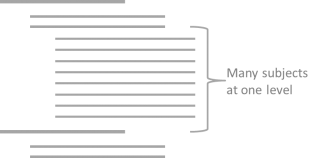
For example, start your titles with keywords. Making sure your titles follow a pattern will also help people get straight to the point. This means titles for topics with similar content will follow a similar pattern (e.g., “Downloading the application” and “Downloading the drivers”). Titles should be written differently, however, according to the type of topic (concept, task, reference). The title designates the topic and the type of information being presented. In a guide on nautical safety, for instance, we might find the following titles :
(Level 1) On-water Safety Rules
(Level 2) Safety requirements for nautical equipment
(Level 3) Safety requirements for boats
Requirements for floating devices
Requirements for fishing equipment
Down with disorder!
Users perceive information differently according to how it is presented. So start with the most important information, both in the Table of Contents and the topic’s navigational menu. Put essential information—like what users will look for most frequently or the information they need to understand everything else—at the beginning. Complementary information comes next, followed by all other potentially useful information. Different types of topics should be organized with the concepts placed at the beginning, followed by tasks and ending with references.
Links to take you further
In the topic-based method, links between topics are important. Like bridges connecting islands and allowing travellers to easy cross from one to the next, links will guide your users to other possibly interesting subjects. Links are references to other topics (in the same document or in “Also see…” type text) or specific sections. With on-line documentation, clickable links make the user’s task all the easier since they lead directly to the right place. Other navigational tools (ex., Last topic/Next topic) also help users go from one topic to the next and influence the order in which they consult the various topics.
Clarity first
Information should always be organized so users quickly find what they’re looking for. This is why even if this organization aims for a certain logic, it must always put clarity before standardization. Even the best itinerary won’t lead anywhere if people can’t follow it!